Roseberry Primary School
Communication
We use the free ClassDojo app as our main way of communicating with parents and carers. It provides a direct window into your child's school day, allowing you to celebrate their achievements, see photographs of learning, and keep up to date with school events, visits and important announcements – all without the worry of paper letters being lost.
Getting Started
To get connected:
- Download the ClassDojo app on your smartphone or tablet.
- Ensure the school has your current email address (please contact the school office if this needs updating).
- Look out for an email invitation from your child's class teacher with instructions on how to join your child's class.
If you do not have access to a digital device, printed copies of key communications will be available from the school office.
Who to Contact
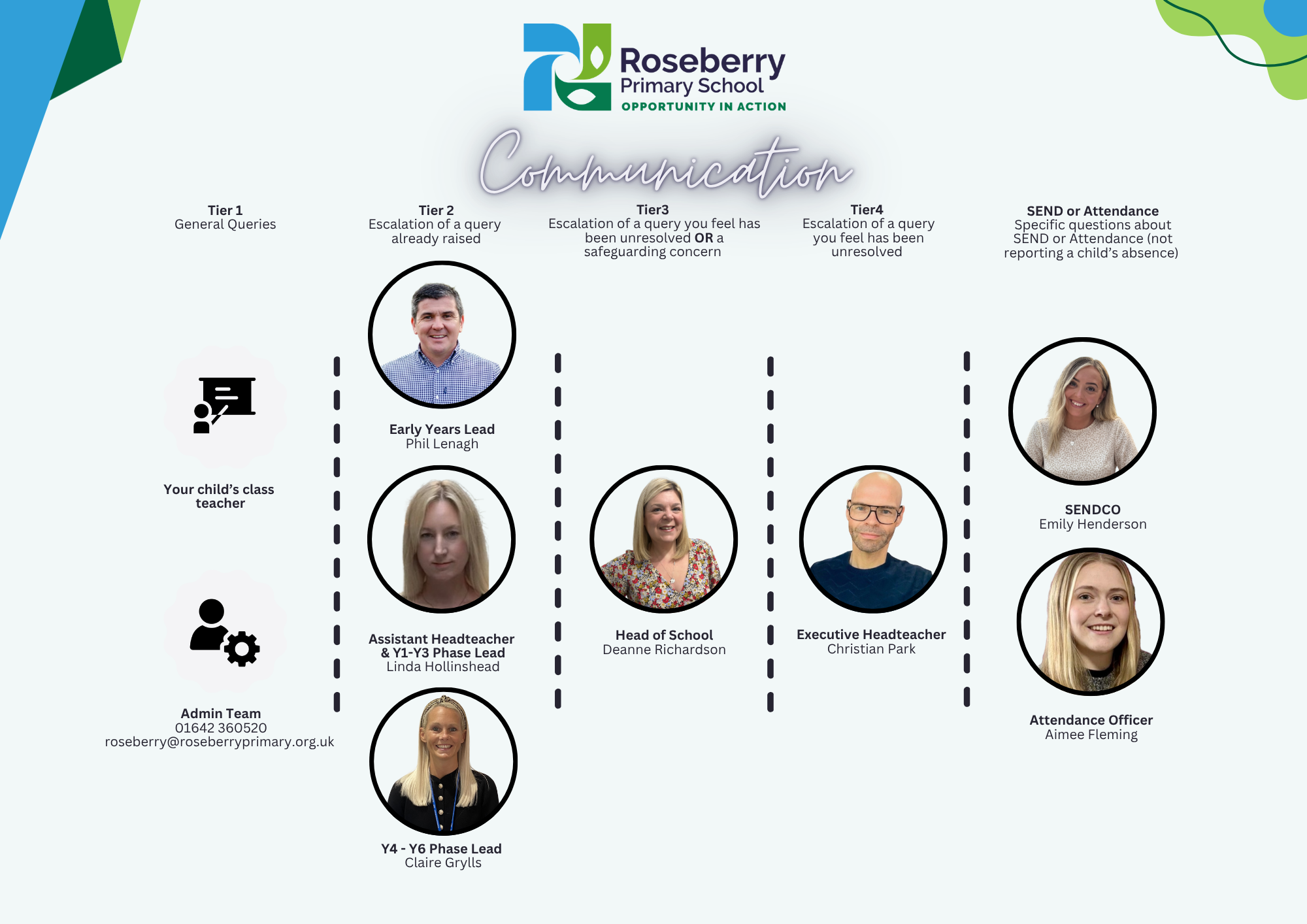
To help us respond to your enquiry as quickly as possible, please contact the most appropriate member of staff.
General Enquiries
Your first point of contact should always be:
- Your child's class teacher, or
- The School Office (Telephone: 01642 360520 | Email: roseberry@roseberryprimary.org.uk
If Your Query Needs Further Support
If your enquiry cannot be resolved by your child's teacher or the school office, it will be directed to the appropriate member of the senior leadership team.
Unresolved Concerns
If your concern remains unresolved, it can be escalated to the Head of School.
Specific Contacts
SEND Enquiries
Please contact the school's SENDCO, Emily Henderson
Attendance Enquiries
Please contact the school's Aimee Fleming.
Please note: Daily pupil absences should be reported via the school's normal absence reporting procedure.